
PLAY / PC
MAke Drama: MAD on PC
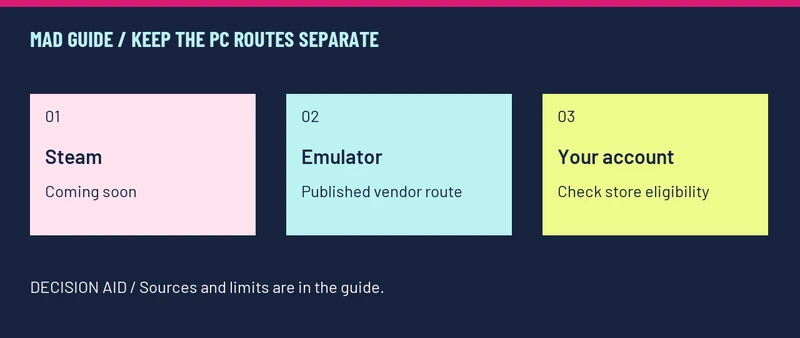
Steam is not yet the playable PC route: its listing says Coming soon. BlueStacks publishes an Android-emulator installation route; that is different from a native Steam client. We have not benchmarked it. [1][2]
Which PC route are you looking at?
| Route | What is confirmed | What it does not prove |
|---|---|---|
| Steam edition | An official store page exists; release date remains Coming soon. | A listing is not an available download or a confirmed launch date. |
| BlueStacks | The vendor has a game-specific installation page. | We have not confirmed FPS, error-free play, or support for every PC. |
| Google Play Windows label | The game listing includes a Windows availability label. [3] | The label alone does not establish that your device/account is eligible or that it is the Steam edition. |
Follow the published emulator path
Use the vendor’s BlueStacks · MAke Drama installation instructions (external, opens in a new tab) beside these checks.
- Install the emulator from the vendor’s own site and complete its normal setup.
- Use its Play Store access to find MAke Drama : MAD. Check the publisher before installing.
- Install through the store, then start the game.
- Choose the intended login and server. Check your progress before binding a new account or buying anything.
These are the vendor’s published installation steps, not a claim that we ran a PC compatibility test. If the store does not offer the app to your account, that is an availability problem rather than evidence of a missing Steam download.
If your PC setup stops working
| Where it stops | Useful next check |
|---|---|
| Before the game is installed | Record the store message and whether it identifies a device, account or region restriction. |
| At sign-in or after entering the lobby | Record the client version, login method and exact error; compare the known reports. |
| You expected an existing mobile account | Confirm the same server and login method. Do not assume that seeing the title screen means your account was transferred. |
When should you wait for Steam?
Wait if you specifically want the Steam client and do not want to use an Android environment. The official Steam listing is the place to watch for an actual release announcement. Do not enter Steam credentials into a third-party “early download” page.
Sources & verification
- Steam · Fluffy Duck / Wemade Connect (external, opens in a new tab)
App 4578810, Coming soon. Official indexed listing checked 23 October 2026; direct page may require sign-in.
- BlueStacks · app installation page (external, opens in a new tab)
Vendor instructions, modified 7 October 2026. A published emulator route; we have not tested performance or compatibility.
- Google Play · Wemade Connect (external, opens in a new tab)
Store identity, mobile availability and official support. Checked 23 October 2026.