
PLAY / STOREFRONTS
Download MAke Drama: MAD
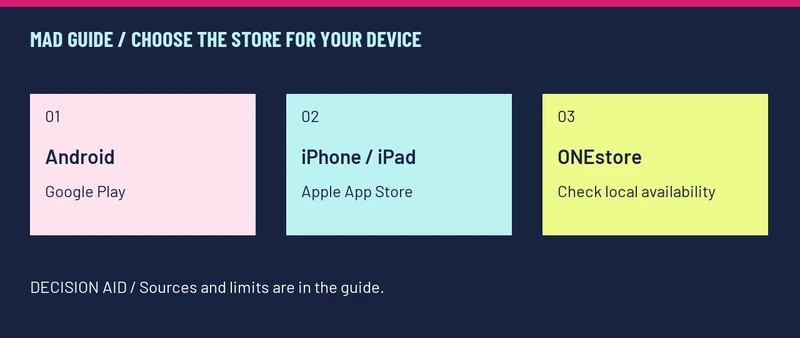
For mobile, start with the official Google Play or Apple listing. ONEstore also lists the game, but access depends on your storefront. The Steam version is still marked Coming soon. [1][2][3][4]
Choose your route
| Your device or goal | Start here | Check before continuing |
|---|---|---|
| Android | Google Play · MAke Drama : MAD (external, opens in a new tab) | Confirm the publisher is Wemade Connect and the app is available to your account. |
| iPhone or iPad | Apple App Store · MAke Drama : MAD (external, opens in a new tab) | Check your local listing’s supported devices and availability. |
| An existing ONEstore user | ONEstore · official catalogue (external, opens in a new tab) | Search the exact game title. A catalogue listing does not establish eligibility in every region. |
| PC | Compare the current PC routes | Separate an Android emulator from the unreleased Steam edition. |
Install without losing track of your account
- Open the relevant official store above and check the title and publisher.
- Follow that store’s installation process. Keep its permissions and eligibility notices visible.
- At the game’s sign-in screen, identify the login method you intend to keep. Record your server and account identifier before changing installations.
- If you are returning to an account, verify the correct server and progress before purchasing or binding a different login.
The account checks are precautions, not a promise that purchases or progress transfer between stores or servers. This guide has not verified a universal transfer policy.
What the ONEstore reports establish
A player on 18 October reported being blocked by region and asked whether a PC client existed. That confirms a real access problem, not a single installation method that works everywhere. [5]
If the store says the app is unavailable, keep the exact error and check the official store’s support options. Repeatedly switching packages can make an account problem harder to identify. We do not host APKs, and a random download mirror is not a replacement for an official listing.
Before you change versions
Is a Steam download available now?
The listing checked on 23 October says Coming soon. A wishlist page is not a playable Windows release.
Will changing stores keep my progress?
We have not established a policy covering every login, server and storefront. Confirm those details before removing the installation that currently holds your account.
The app installed, but it will not log in.
Keep the client and error details, then use the symptom checks in our login and disconnect guide.
Sources & verification
- Google Play · Wemade Connect (external, opens in a new tab)
Store identity, mobile availability and official support. Checked 23 October 2026.
- Apple App Store · Wemade Connect (external, opens in a new tab)
iPhone/iPad listing and version history. Checked 23 October 2026; storefront availability varies.
- ONEstore · official catalogue (external, opens in a new tab)
The English catalogue lists MAke Drama : MAD. Checked 23 October 2026; the product-detail page returned an error.
- Steam · Fluffy Duck / Wemade Connect (external, opens in a new tab)
App 4578810, Coming soon. Official indexed listing checked 23 October 2026; direct page may require sign-in.
- NoFace4930 · Reddit (external, opens in a new tab)
18 October 2026 UTC. A player reports a regional ONEstore restriction and asks about a PC client. Replies are player reports, not store policy.